Finding the best virtual staging app to visualize a rental makeover is less about applying attractive furniture to an empty room and more about making practical decisions before spending money. Renters need to work around existing walls, fixed kitchen cabinets, landlord rules, limited budgets, and furniture that may need to move with them later.
A useful virtual staging tool should help you test realistic possibilities: whether a small living room can hold a sofa and dining table, whether removable wallpaper suits a dark bedroom, or whether a balcony feels more inviting with compact seating and plants. It should also make it easy to compare options without confusing a visual concept with a measured construction plan.
This guide explains what to look for, how to use virtual staging for rental-friendly redesigns, and how to review generated images before making decisions.
What makes a virtual staging app useful for renters?
Traditional virtual staging is often used to market vacant homes. In a rental makeover, the goal is different. You are not simply making a room look desirable for a listing; you are evaluating whether a temporary, affordable change will improve everyday life.
The best tool for this purpose should support three decisions:
- Layout: Can furniture fit while preserving clear walking routes?
- Style: Does a color palette, lighting approach, or furnishing style work with the finishes you cannot change?
- Investment: Which upgrades are removable, reusable, and worth purchasing?
For example, a renter may dislike the beige carpet and dated oak cabinetry in an apartment kitchen. Replacing either may be prohibited or too expensive. Virtual staging can instead test a washable runner, counter stools, warmer lighting, peel-and-stick backsplash samples, and a compact bar cart. The purpose is to see whether those smaller interventions create enough visual improvement to justify the cost.
Start with rental restrictions, not the decorating trend
A polished render can be inspiring, but it is only valuable if the concept is possible in the lease. Before uploading a room photo or floor plan, create a short list of fixed conditions.
| Question to ask | Why it matters for virtual staging | Typical rental-friendly response |
|---|---|---|
| Can walls be painted? | A dramatic wall color may require written approval and repainting later. | Test removable wall panels, art, curtains, or large textiles first. |
| Can you drill holes? | Shelves, curtain rods, and wall-mounted lighting may not be allowed. | Use tension rods, freestanding storage, or damage-free hanging methods. |
| Which items stay with the property? | Built-in cabinets, radiators, fixtures, and appliances affect the design. | Keep those features visible in the concept instead of staging over them. |
| How long will you live there? | A two-year rental supports different purchases than a six-month lease. | Prioritize portable furniture, lighting, and décor you can reuse. |
These constraints should guide your prompts, references, and review process. A rental makeover concept that relies on a new built-in wardrobe or a moved plumbing wall may be visually appealing, but it is not a useful decision-making image for most tenants.
Choose inputs that show the room honestly
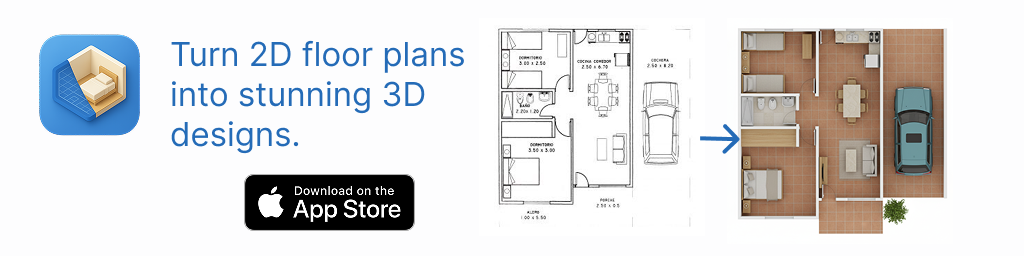
Virtual staging quality starts with the source image. A clear photo gives the tool more context about windows, doors, existing finishes, and the room’s current condition. If you are planning several spaces or trying to understand how rooms connect, a floor plan can provide valuable layout context as well.
For a room photo, use these preparation steps:
- Photograph from a corner or doorway so that at least two walls are visible.
- Turn on enough light to show boundaries, outlets, windows, and built-in features.
- Remove temporary clutter where possible, but leave fixed features in view.
- Take more than one angle, especially for narrow rooms or rooms with alcoves.
- Save one unedited reference photo so you can compare concepts with reality.
If you use a floor plan, make sure room labels, door swings, windows, dimensions, and notes are legible. A clean source improves interpretation, but it does not guarantee correct generated geometry. Always treat a staged image as a visual proposal to check against the actual room.
A practical rental makeover example
Consider a renter with a 12-by-14-foot living room that must serve as a lounge, work area, and occasional dining space. The apartment has a fixed radiator beneath one window, one closet door that opens into the room, and a landlord rule against wall drilling.
Instead of asking for a vague “modern living room,” define the non-negotiables. The renter could create three separate concepts:
- Concept A: Work-first layout. A compact desk near daylight, a two-seat sofa, a floor lamp, and wall-free storage.
- Concept B: Hosting-first layout. A loveseat, nesting tables, two foldable dining chairs, and a slim console that doubles as a serving surface.
- Concept C: Storage-first layout. A storage sofa, tall freestanding bookcase, lift-top coffee table, and portable room divider.
Each concept should retain the radiator, closet access, and window position. If a generated image places a large sofa across the closet door or blocks the radiator, that is useful information: the image may have an attractive style, but the layout should not be copied.
After reviewing the concepts, the renter might combine the best realistic elements: the desk placement from Concept A, the nesting tables from Concept B, and the concealed storage approach from Concept C. This is more reliable than treating one generated image as a final shopping plan.
How to compare virtual staging concepts effectively
Do not judge concepts by visual impact alone. Use a repeatable comparison checklist so the final direction supports the way you live in the room.
1. Check circulation and access
Look for clear routes from the entry to the seating area, closet, bathroom, balcony, or kitchen. Confirm that doors appear able to open and that essential fixtures remain reachable. In a small rental, an attractive oversized sectional can make daily movement frustrating.
2. Identify the permanent elements
Ask whether the concept works with the existing flooring, cabinetry, countertop, window trim, and lighting fixture. A staging image may simplify or alter these details. If the concept only works after hiding every fixed finish, it may not be the right approach.
3. Separate purchases from visual styling
Some staged details are easy to reproduce, such as a rug, curtains, side table, or artwork. Others may be editorial styling rather than practical recommendations. Create a shopping list only after you identify the items that directly solve a need: seating, storage, task lighting, privacy, or a dining surface.
4. Compare cost per move
Rental upgrades should usually travel well. A freestanding lamp can move to a future home; a custom closet system may not. Estimate the cost of each option, then ask whether you would still want that item after moving. This helps avoid spending heavily on improvements that only suit one temporary layout.
Use prompts that include real constraints
Detailed instructions lead to more useful visual directions than broad style labels. Mention the room function, existing features, preferred atmosphere, and restrictions. You can use a prompt structure like this:
Keep the existing window, radiator, and closet door visible.
Create a warm rental-friendly living room with a compact desk,
freestanding storage, no wall-mounted shelving, and clear access
to the closet. Use removable décor and furniture suitable for a small space.
The goal is not to force a perfect result. It is to give the staging process enough context that you can evaluate feasible ideas. If an image changes the room shape, removes a door, invents a window, or makes furniture look much smaller than it would be in reality, revise the direction or discard that layout.
Important limitations of virtual staging for rental planning
Virtual staging is excellent for exploring mood, furniture categories, color relationships, and broad room arrangements. It should not replace physical verification. Generated visuals are not measured CAD or BIM models, engineering drawings, landlord approvals, or guaranteed construction dimensions.
Before buying furniture or requesting permission for a change, measure the actual room and product dimensions. Check door swings, radiator clearances, delivery paths, outlet locations, and lease requirements. If a change affects electrical work, plumbing, structural elements, or permanent finishes, consult the property owner and an appropriately qualified professional.
A good virtual staging image answers “Could this direction work?” Measurements, lease terms, and on-site checks answer “Will it work here?”
Build a renter-friendly final decision board
Once you have selected a direction, record the decision in a simple board with four columns: keep, buy, ask permission, and avoid. This prevents a visual concept from turning into an impractical project.
- Keep: Existing features that work, such as flooring, blinds, or a built-in bookcase.
- Buy: Portable upgrades, including a rug, lamp, storage bench, and curtains.
- Ask permission: Painting, adhesive wall treatments, hardware changes, or fixture replacements.
- Avoid: Layouts that obstruct access, oversized furniture, and irreversible alterations.
This approach makes virtual staging actionable while preserving flexibility. You can enjoy a more personal, functional rental without designing around changes that may not be approved or may not be worth undoing later.
Final thoughts
The best virtual staging app to visualize a rental makeover is one that helps you explore realistic options, retain important room details, and compare ideas against your actual constraints. Focus on images that clarify layout, function, and removable upgrades—not just images that look impressive.
For renters who want to explore room concepts from a photo or layout, Floor Plan to 3D & Home Redesign’s AI room design guide explains a practical way to create and review visual redesign ideas before committing to a purchase or renovation decision.